
Guides · 9 min read · Jul 10, 2026
Turn Your Customer Account Page Into a Marketing Channel with Static Blocks
By Ritesh Vatwani
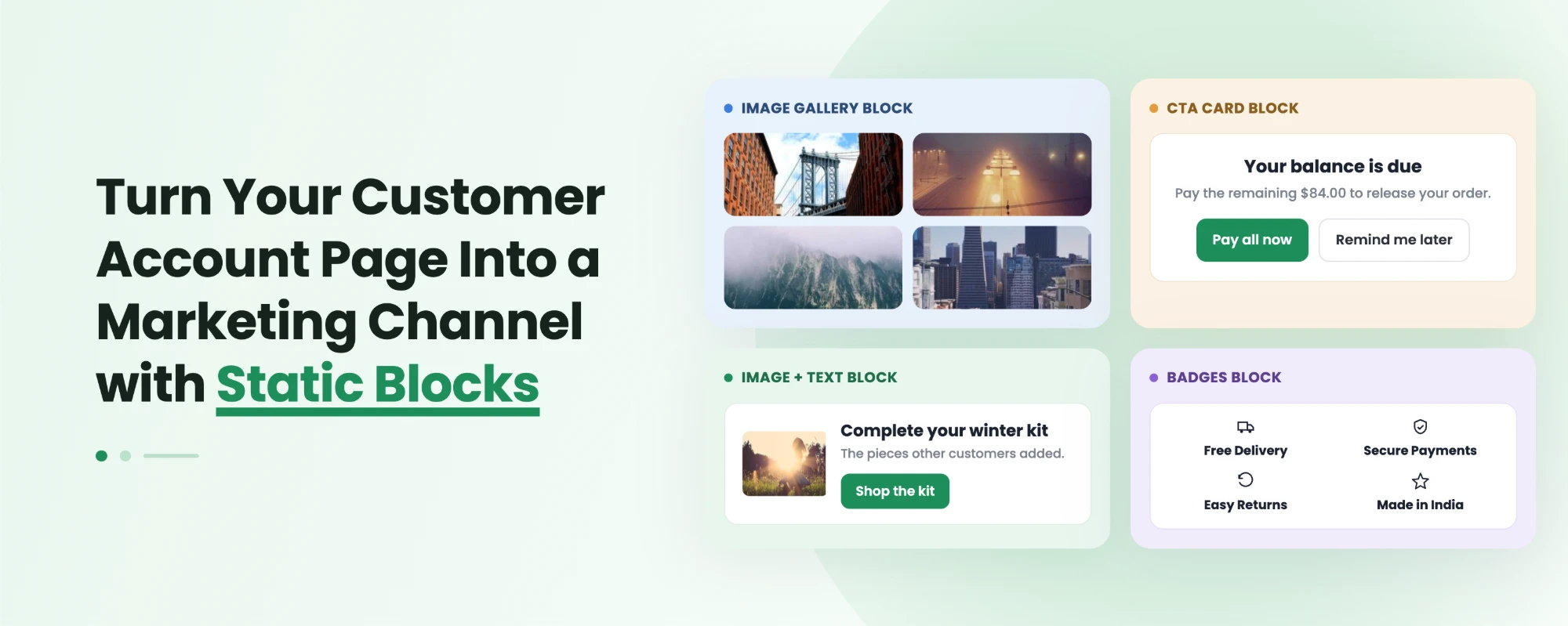
Your Shopify customer account page is one of the most visited yet least used pages in your store. With Accofy's static blocks, you can turn that empty, transactional screen into a branded marketing channel by adding banners, promotions, recommendations, CTAs, and dynamic data without writing a single line of code. This guide explains what static blocks are, the 12 block types Accofy offers, and exactly how to use each one to drive repeat sales.
Why the Customer Account Page Is Wasted Marketing Real Estate
Shopify's default new customer account page shows almost nothing: a list of orders and a logout button. No branding. No offers. No reason to come back.
But here is what most merchants miss. Since Shopify moved to passwordless login (a one-time code instead of a password), customers log in far more often, sometimes several times a week, because there is nothing to remember. That makes the account page a high-traffic surface, often second only to your product pages.
So you have one of your most visited pages doing zero marketing work. That is the gap static blocks close.
What Are Static Blocks in Shopify Customer Accounts?
Static blocks are pre-built, drag-and-drop content sections you add to the home, profile, or order pages inside Shopify's new Customer Account Extensions. Think of them as the customizable building blocks for the logged-in account area, the modern, no-code replacement for the Liquid edits you used to make on the old /account template.
Each block has a fixed purpose (an image, a banner, a CTA, a metafield) but fully editable content, so you control the message, design, and links while Accofy handles the rendering inside Shopify's native framework.
Because they are static, they load fast, stay on brand, and work out of the box on the new passwordless login with no developer required.
Key Takeaways
- The customer account page is now a high-traffic page thanks to passwordless login, but Shopify's default version does no marketing.
- Static blocks let you add promotions, recommendations, content, and dynamic data to that page with no code.
- Accofy offers 12 static block types, from simple image banners to dynamic product, order, and customer metafield blocks.
- Used together, these blocks turn a transactional dead end into a repeat-purchase and loyalty engine.
The 12 Accofy Static Blocks (and How to Use Each for Marketing)
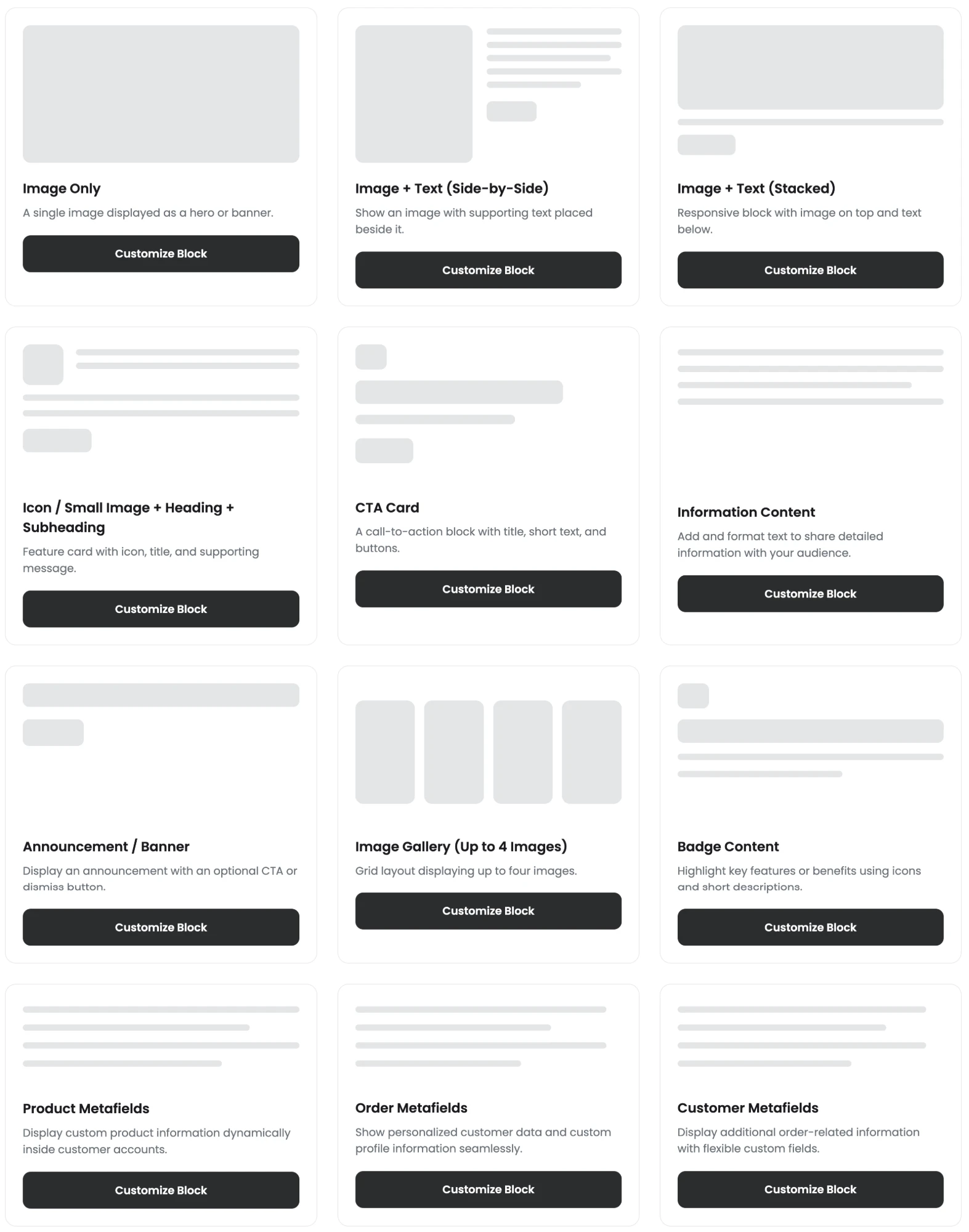
Below is every static block Accofy provides, what it does, and the smartest way to use it as a marketing lever.
1. Image Only

A single image displayed as a hero or banner.
Marketing use: Drop in a seasonal hero (Summer Sale, BFCM), a new-collection reveal, or a brand lifestyle shot so the account page instantly feels like your store, not Shopify's generic default.
2. Image + Text (Side-by-Side)

An image with supporting copy placed beside it.
Marketing use: Pair a product or campaign image with a short pitch, like Members get early access or Refer a friend, get $10. The side-by-side layout reads like a mini landing section.
3. Image + Text (Stacked)

A responsive block with the image on top and text below.
Marketing use: Ideal for mobile-first storytelling. Announce a loyalty perk, explain a subscription benefit, or highlight your sustainability story where most account-page traffic happens (on phones).
4. Icon / Small Image + Heading + Subheading

A compact feature card with an icon, title, and supporting message.
Marketing use: Build trust and reduce support tickets with messages like Free returns within 30 days, 24/7 support, or Carbon-neutral shipping. Stack a few to create a benefits strip.
5. CTA Card

A call-to-action block with a title, short text, and buttons.
Marketing use: Your direct conversion lever. Push customers to Shop New Arrivals, Join Rewards, Start a Subscription, or Leave a Review. Place it high on the account home page.
6. Information Content
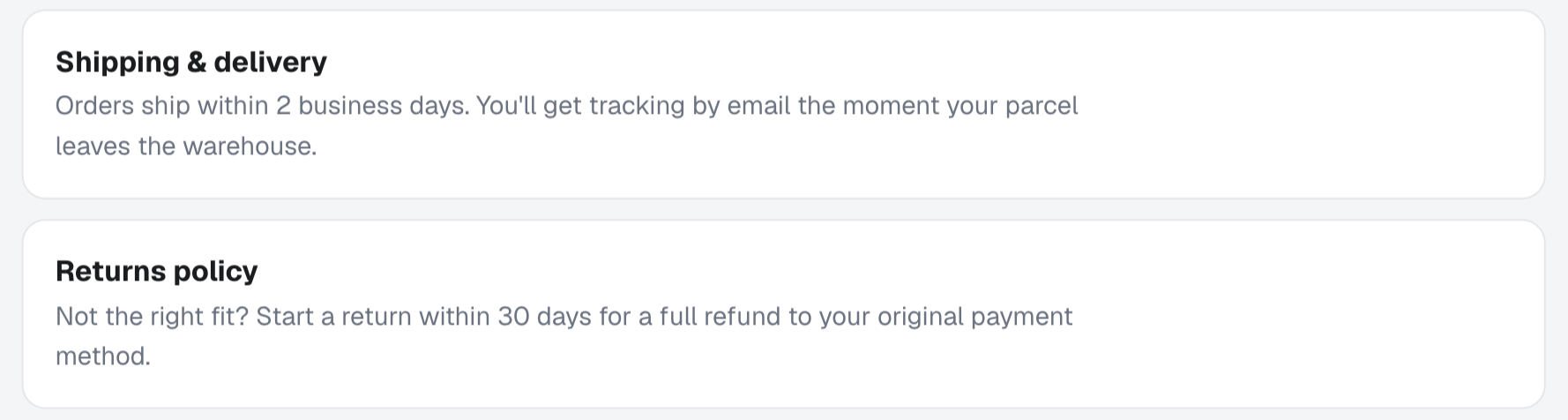
A block to add and format rich text for detailed information.
Marketing use: Communicate policies, shipping timelines, FAQs, or program rules in one clean, branded place, cutting repetitive where is my order and how do returns work tickets.
7. Announcement / Banner

An announcement bar with an optional CTA or dismiss button.
Marketing use: Time-sensitive messaging like flash sales, restocks, holiday cut-off dates, or a Double points this week loyalty push. The dismiss option keeps it non-intrusive.
8. Image Gallery (Up to 4 Images)

A grid layout displaying up to four images.
Marketing use: Showcase a new collection, a lookbook, or user-generated content. Each tile can link to a collection, turning the account page into a visual shopping entry point.
9. Badge Content

Highlights key features or benefits using icons and short descriptions.
Marketing use: Reinforce your value props and credibility with badges like 100k+ happy customers, Award-winning support, or Secure checkout. Great for nudging hesitant repeat buyers.
10. Product Metafields
Displays custom product information dynamically inside customer accounts.
Marketing use: Surface dynamic, personalized product data such as warranty info, care guides, compatible add-ons, or complete the set suggestions tied to what a customer already owns.
11. Order Metafields
Shows personalized customer data and custom profile information seamlessly.
Marketing use: Make the page feel one-to-one. Show order-specific perks, tracking notes, or tailored next-step offers based on a customer's purchase history.
12. Customer Metafields
Displays additional order-related information with flexible custom fields.
Marketing use: Power segmentation and B2B personalization with VIP tier status, account manager details, GST or VAT info, or birthday rewards, all pulled dynamically from custom fields.
How to Combine Static Blocks Into a Marketing Layout
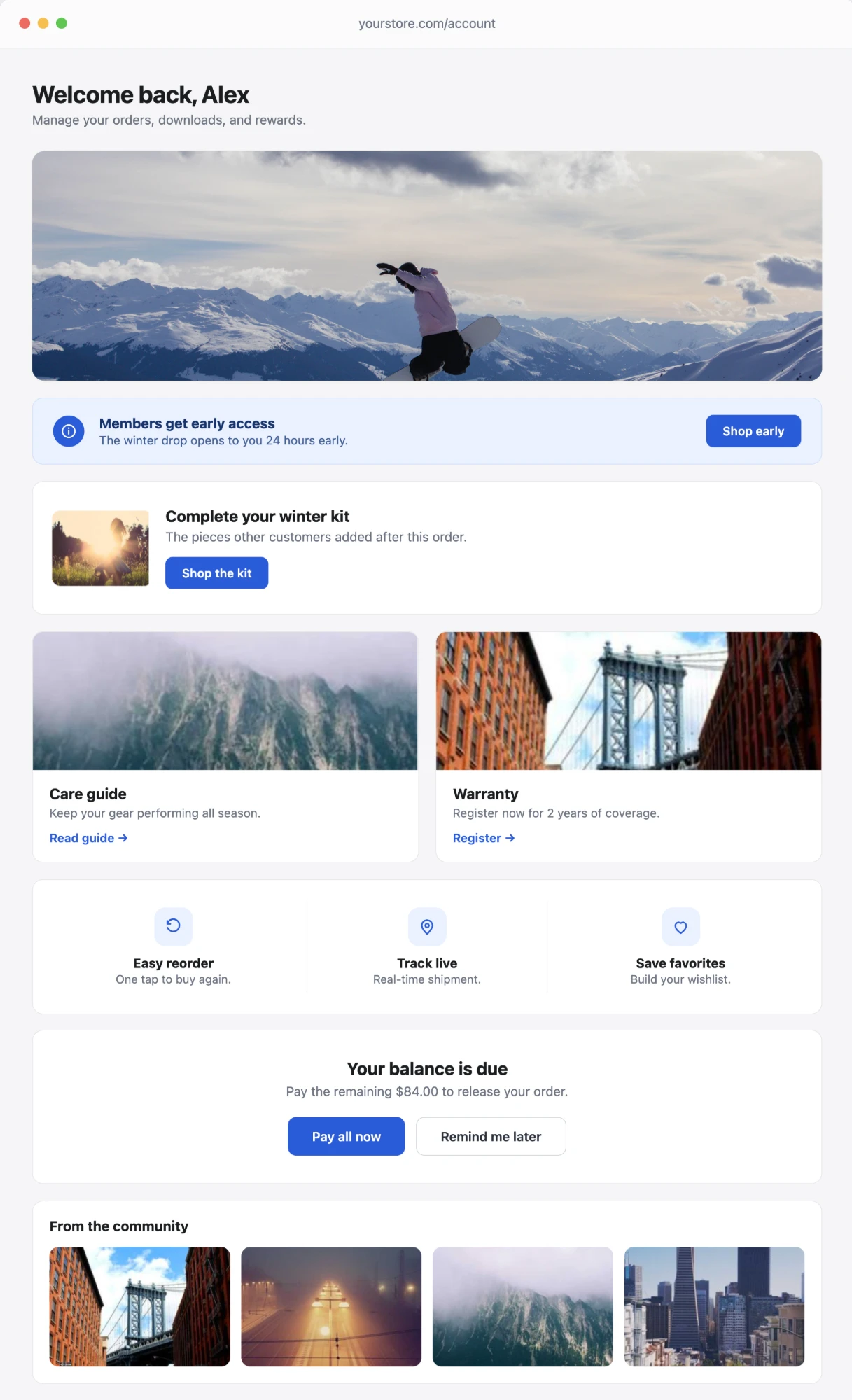
The real power comes from stacking blocks into a deliberate flow. A high-converting account home page might run:
- Announcement / Banner at the very top for the current promotion.
- CTA Card driving the primary action (rewards, subscription, or new arrivals).
- Image + Text (Stacked or Side-by-Side) telling a campaign or member-benefit story.
- Badge Content to reinforce trust.
- Product / Customer Metafields to personalize the experience by what each shopper owns or qualifies for.
This sequence turns a blank page into a guided path: notice the offer, take the action, trust the brand, feel recognized.
Why Use Static Blocks Instead of Editing Code
With Shopify deprecating classic customer accounts, you can no longer edit the account page through your theme's Liquid files. The new account area is rendered by Shopify and can only be extended through approved Customer Account Extensions.
Static blocks give you that customization without a developer: choose a block, edit the content, set the link, and publish. It is faster to launch, easier to update for each campaign, and fully future-proof against the classic-account deprecation.
Final Thoughts
A customer account page that only lists orders is a missed revenue opportunity on one of your highest-traffic pages. Accofy's static blocks let you treat that page like what it really is: a marketing channel you own. Start with one banner and one CTA, measure the lift in repeat purchases, then build out a full branded layout.
Ready to turn your account page into a growth surface? Install Accofy on the Shopify App Store and start adding static blocks today.