
A loyalty program that lives inside the customer account, not in another app.
Reward customers for orders, signups, newsletters, and birthdays, then let them redeem points for checkout discounts on the same page where they track their orders. Fully branded, fully translatable, and live in minutes.
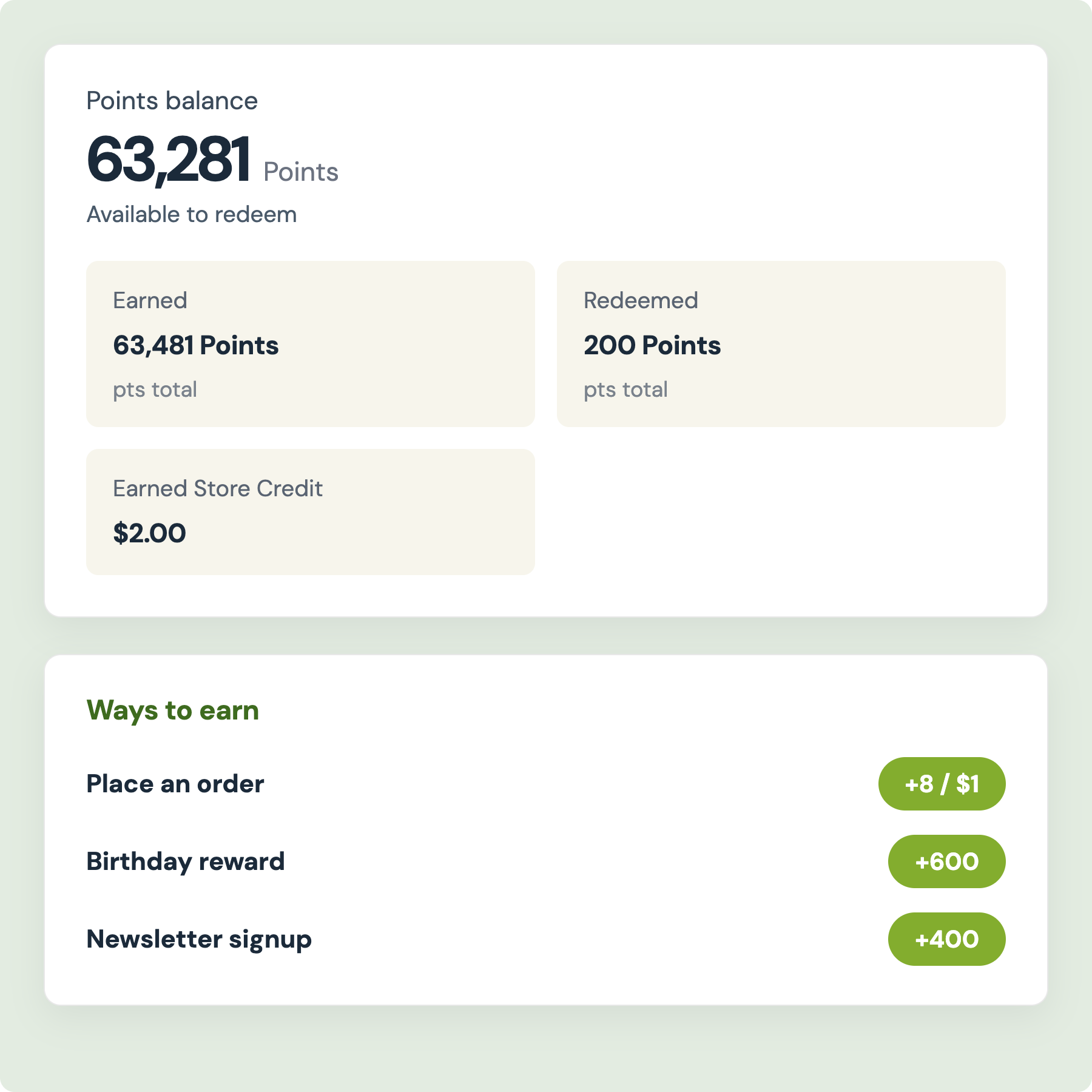
Five ways to turn everyday actions into points
Award points for placing an order, placing a first order, subscribing to your newsletter, celebrating a birthday, and signing up. Choose increments of points so rewards scale with spend, where 10 points per $1.00 turns a $45 order into 450 points, or a fixed amount for a flat reward. Every rule has its own toggle, its own point value, and its own cap on how many times a customer can complete the action.
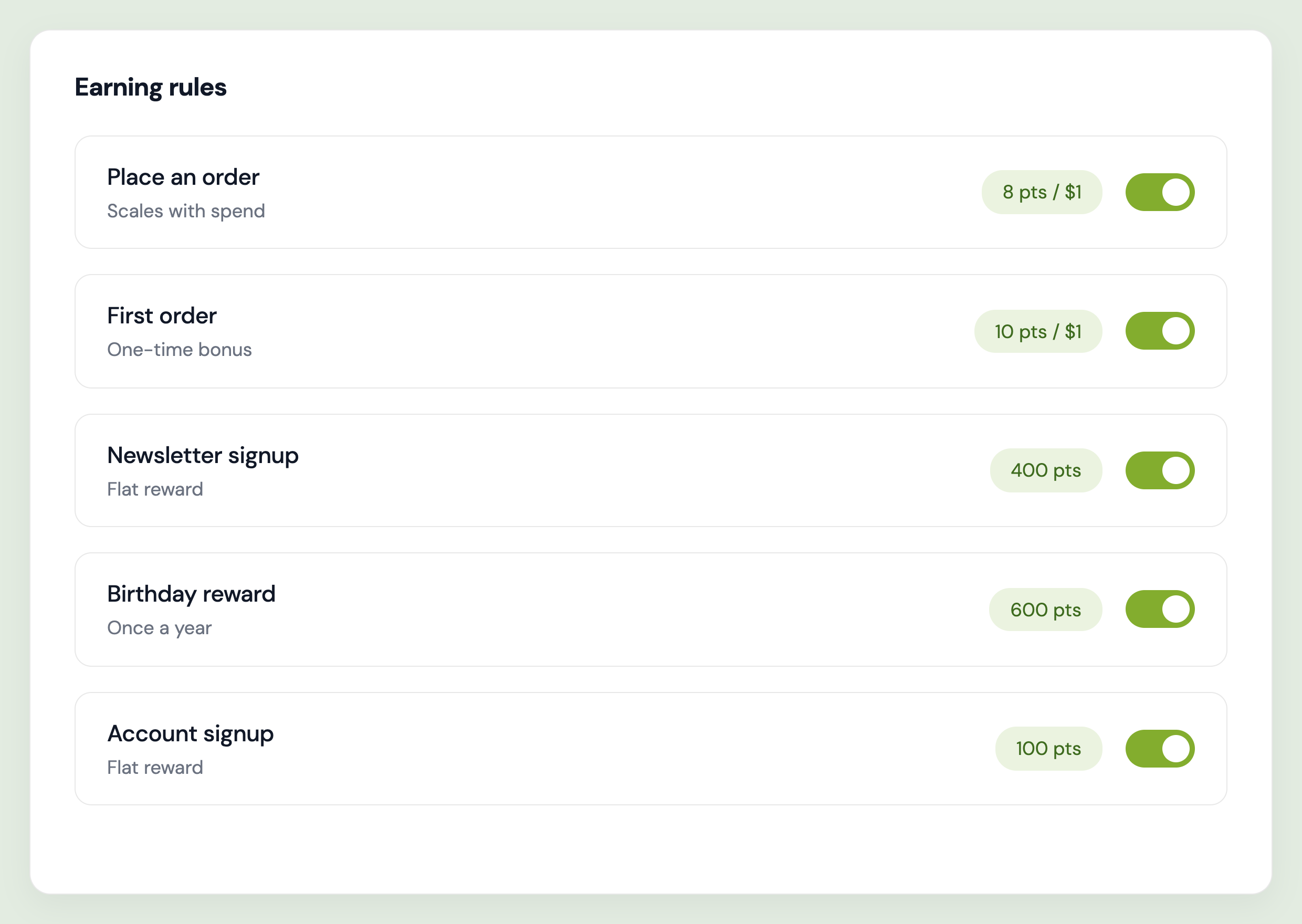
Built for merchants, loved by customers
Points that scale with spend
Increments of points reward bigger baskets automatically, so your highest-value customers earn fastest and have the most to come back for.
Expiry that brings customers back
Set a 1-year window with warning and last-chance reminders, so balances become a reason to return instead of a liability that sits on your books forever.
Translation built in
Points naming, earning rule copy, balance panel, expiry warnings, and every button translate per language directly in the app, with no extra translation app needed.
Native to new customer accounts
Built on Shopify's customer account extensions. Add the loyalty block from the editor and save, with no Liquid, no theme conflicts, and no Lighthouse penalty.
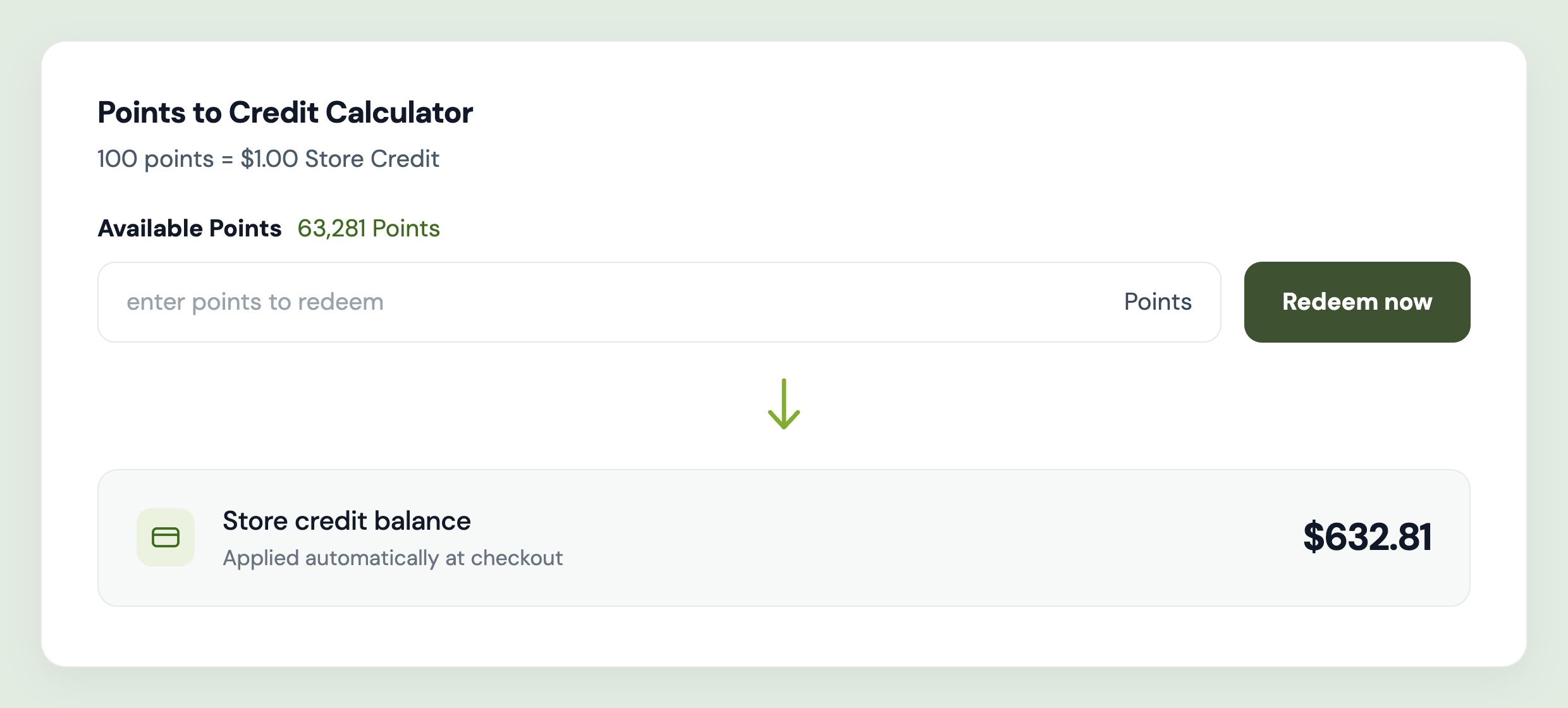
Turn points into checkout discounts you control
Set the exchange rate, such as 100 points for $1.00 off, then set a minimum balance before redemption unlocks and a maximum spend per reward. Apply discounts to the entire order or to a specific collection, require a minimum purchase amount, lock the code to the recipient's account, and choose whether it stacks with order, shipping, or product discounts. Add your own prefix to generated discount codes so they're easy to spot in reports.
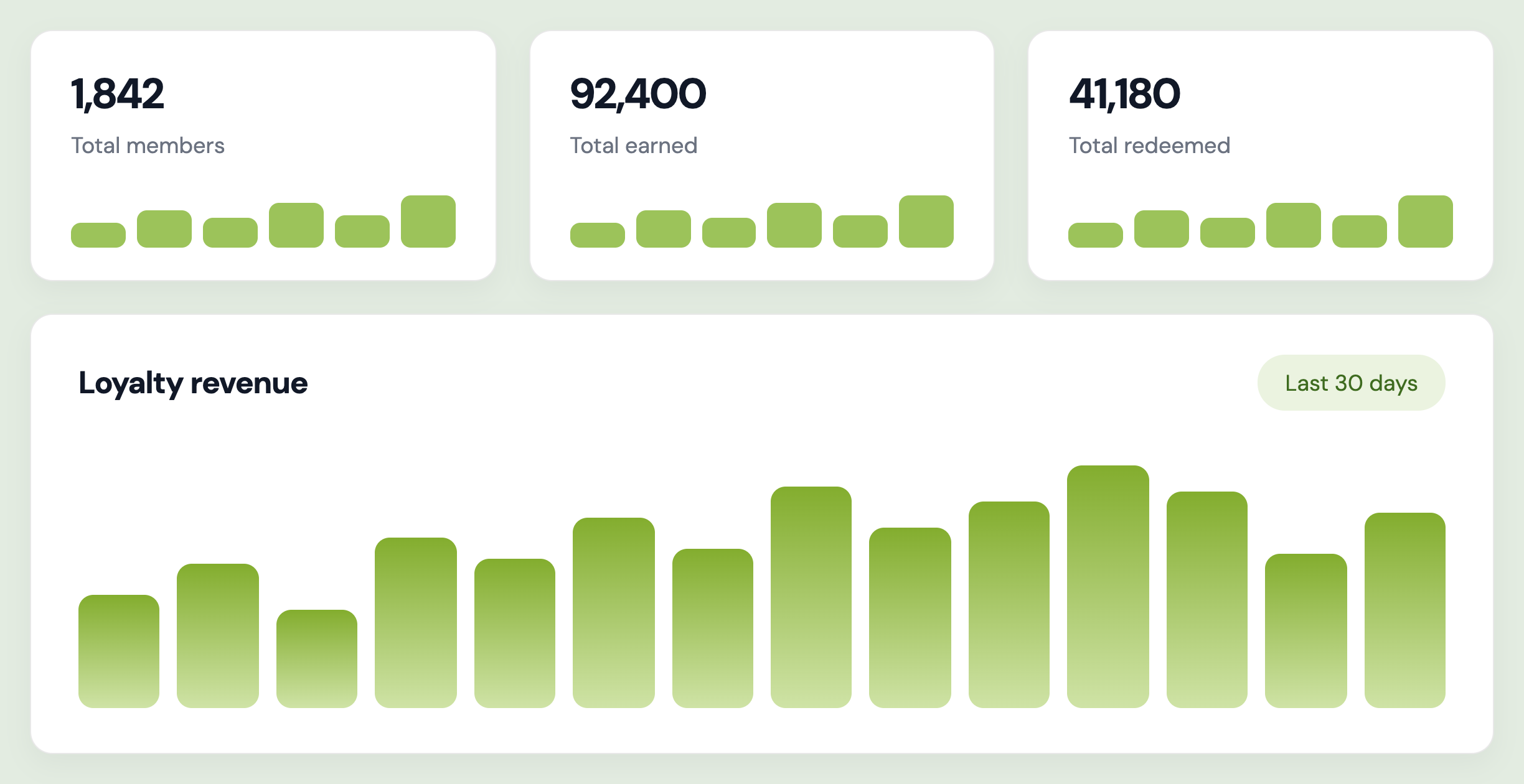
See exactly what your loyalty program is earning you
Track total members, earning activity, and redemption activity on the loyalty dashboard, each with a sparkline so you can see the trend at a glance. Open the revenue chart across the last 7, 30, 90, or 365 days, or set a custom range, to connect rewards to actual sales. Drill into any member for their available balance, points earned and redeemed, newsletter status, full activity history, and every order that involved loyalty, searchable by email, address, or Shopify customer ID.
Common questions
How do customers earn points?
Through five rules you control: placing an order, placing a first order, subscribing to your newsletter, celebrating a birthday, and signing up. Each rule has its own toggle and point value, and order rules can scale with spend or pay a flat amount.
How do customers redeem their points?
Points convert to a checkout discount at a rate you set, such as 100 points for $1.00 off. You decide the minimum balance needed, the maximum points spent per reward, whether it applies to the whole order or one collection, and whether it stacks with your other discounts.
Do points expire?
Yes, if you want them to. Choose an expiry window from 7 days up to 2 years, 1 year by default, then set a warning threshold and a last-chance threshold so customers are reminded before their balance disappears.
Where do customers see their balance?
On a loyalty page inside Shopify's new customer account, alongside their orders and wishlist. They see their points balance, the ways to earn, their activity history, and the redemption panel in one place.
Do I need to edit theme code?
No. The loyalty block is added as a native customer account block from the Shopify editor. Enable the block, set at least one earning rule and a redeem rule, and save.